Analysis of Emotet/Trickbot (Part-1)
Part one of the analysis of Emotet
Emotet - A Deep Dive (Part 1)
Introduction
- This is a bit of a jump from my first analysis as this is legit malware.
- There are many different versions of it but I downloaded mine from vxunderground.
MD5 Hash: f1ab1fa6d2b93ae55b448b96733ff195 SHA1: fa5c79321dd4cc2fea795d6ebe2e823abe33ca6f SHA256:045c4ab485bd45781234451af0eae62f23abceae375d5434cff37c3e5620f872
- This analysis does not follow the previous format of basic static, basic dynamic, advanced static, and advanced dynamic as I jump around a lot between each section
- This is not a full analysis as I’m nowhere near fully analyzing this malware. I will update you as I find out more.
- This is real live malware please make sure you are running this in a safe, sandboxed environment
Disclaimer/Warning
I am not an expert in malware analysis nor am I a malware developer, please take my word with a grain of salt and do your own research before doing anything.
I take no responsibility or accountability for infection of malicious software, programs, or files onto any computer or workstation. These projects are for educational purposes only. I do not condone the development, use, or spreading of programs to intentionally harm assets, networks, or individuals.
I do not own the malware/program nor am I claiming to be the author of the program all rights and ownership go to the person/team who designed it.
Basic Static Analysis
- Going through the same process as my previous analysis, I was unable to find anything interesting.
- I found some strings, that might be encrypted or hashed(possibly?) and some potentially harmless API calls.
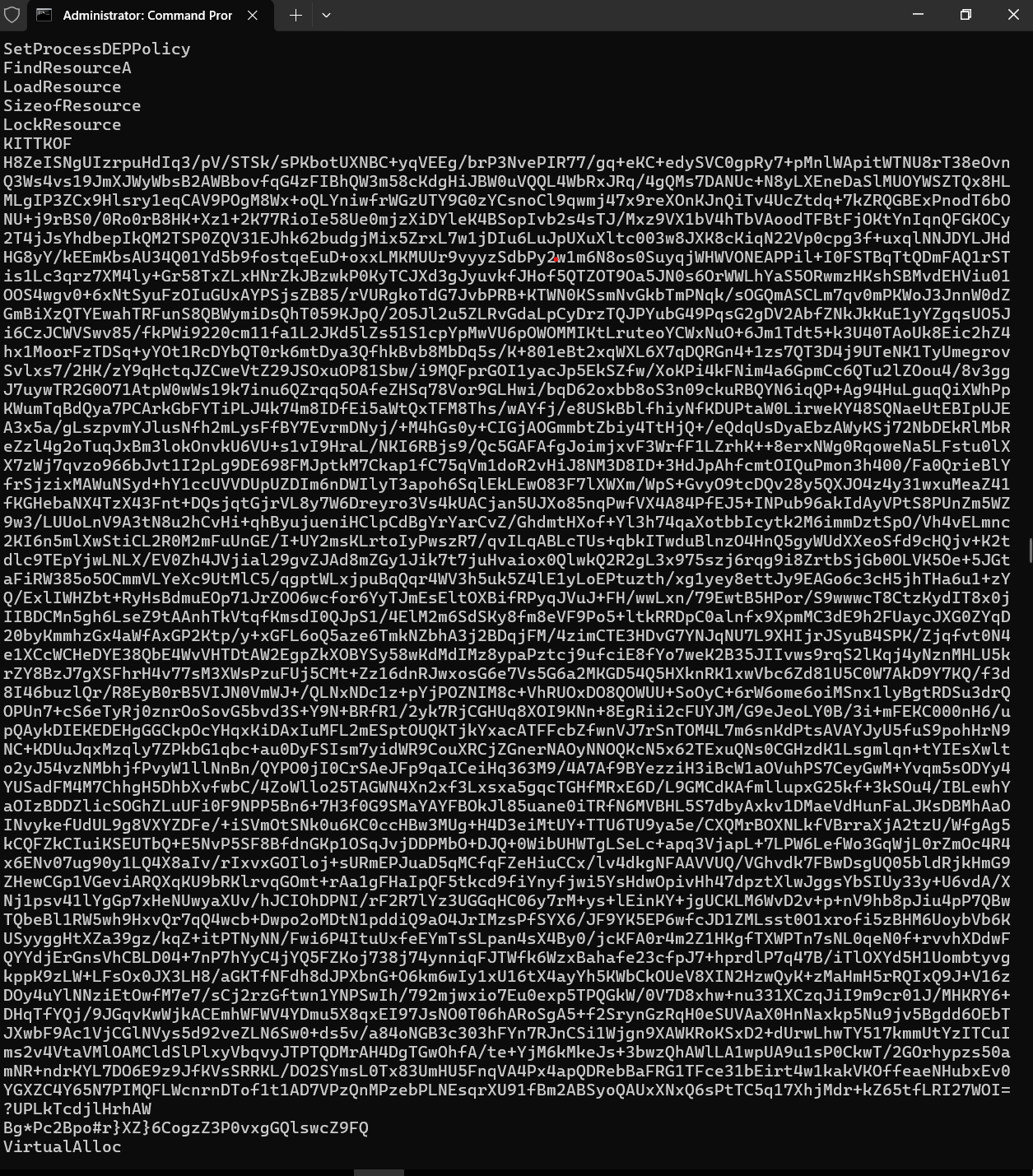
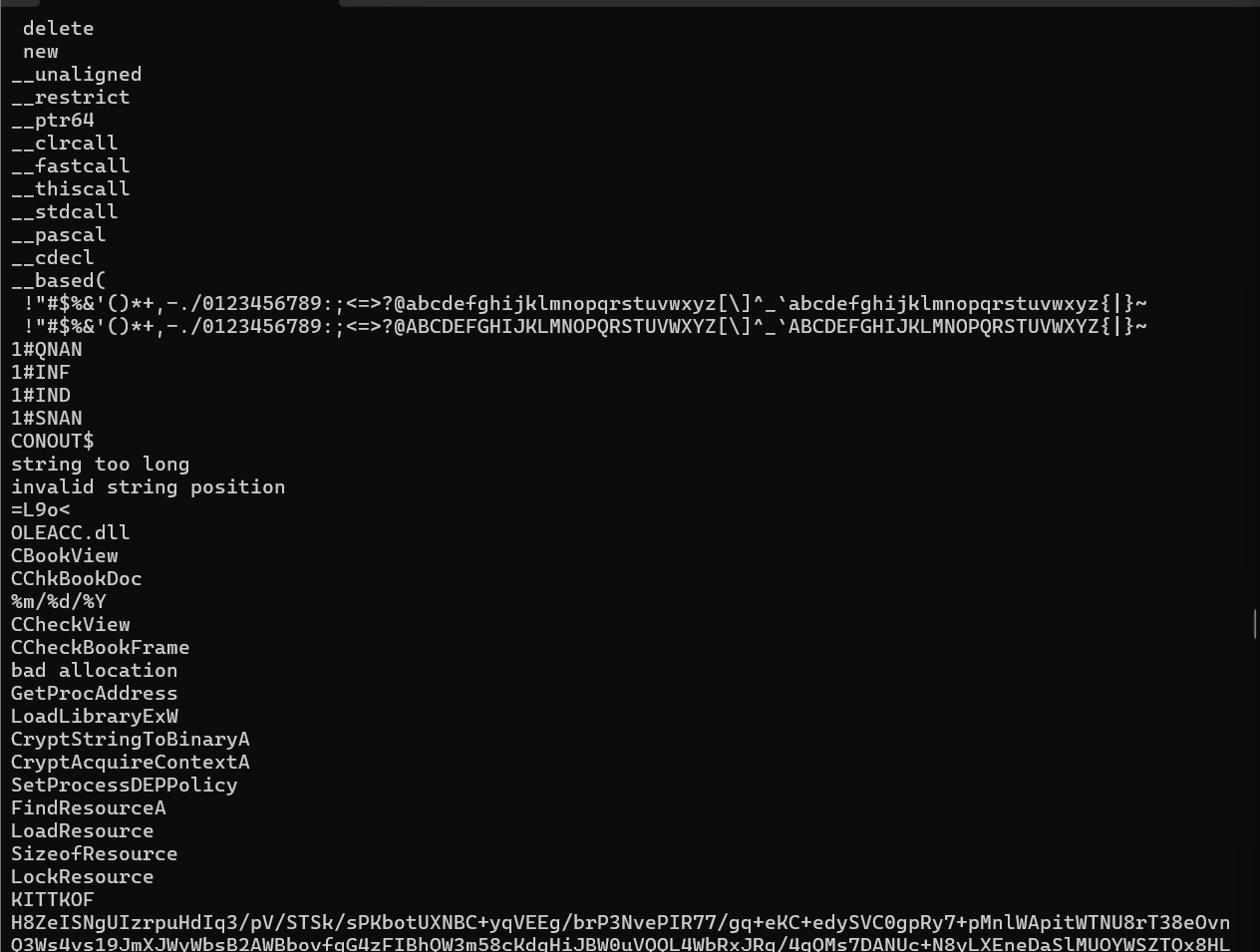
- Looking through the dependencies using dependency walker I noticed something odd, there are many functions that can be seen in the extracted strings that are not shown in dependency walker, this led me to believe that some of the more important function calls are done dynamically.
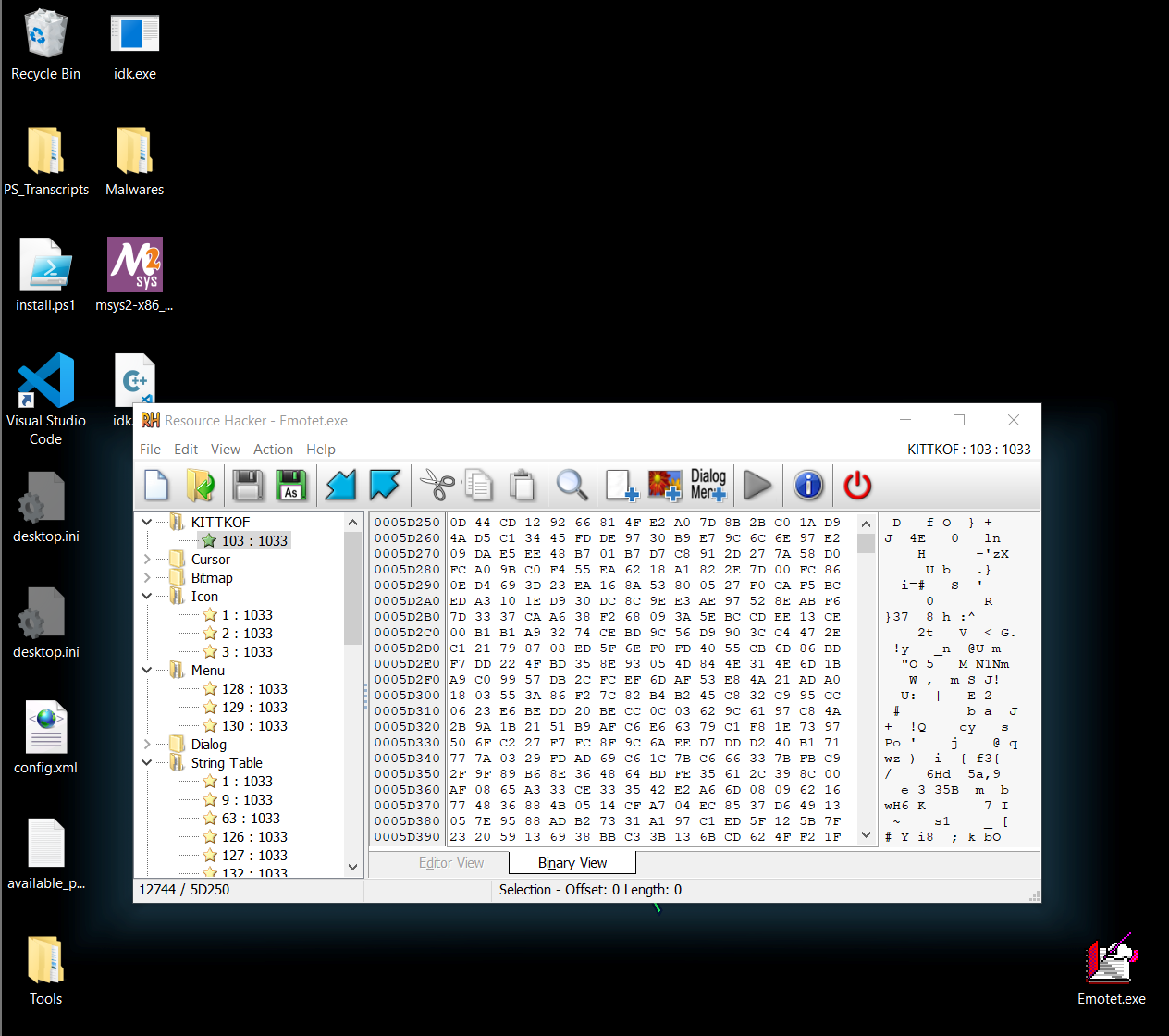
- Also another important tidbit was the calls to Loadresource(), Lockresource() , etc. Loading malicious payloads through resources is a pretty common malware tactic.
- Examining the resources section using a tool like a resource hacker we are able to view a resource called “KITKKOF” which looks interesting.
- At this point, I was unable to find any other important information using basic static analysis so we could move forward with the advanced static analysis
Basic Dynamic Analysis
- Setting up all the various tools as done in the previous analysis, we can find many important information.
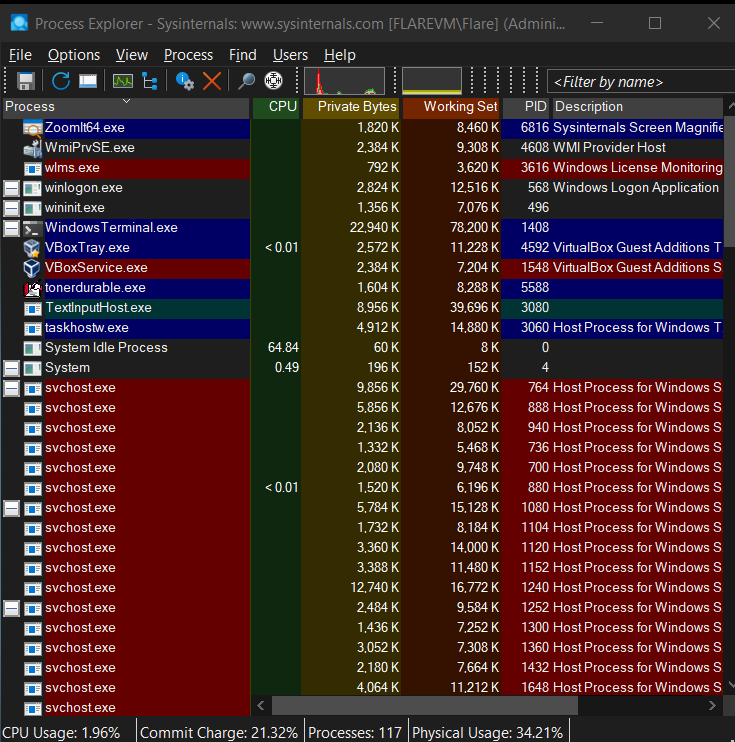
- In Process Explorer, I was able to observe this process spawning another process and that process spawning another process that seems to run indefinitely, called toner-durable, which also deletes the original executable file. (pretty hard to capture a screenshot of this happening)
- Some other information was also observed through procmon, regshot, etc.
- The process spawning information is really useful for us during the advanced dynamic analysis as we will be able to set up specific breakpoints.
- The next parts may be a bit more confusing as I jump between advanced static and dynamic analysis quite a bit.
Advanced Analysis
- Next, I opened the exe file in IDA, and I used all the default settings to open the project.
- Going to the main function we can see it does not seem like a regular executable function.
- We can see there are many calls that are resolved dynamically.
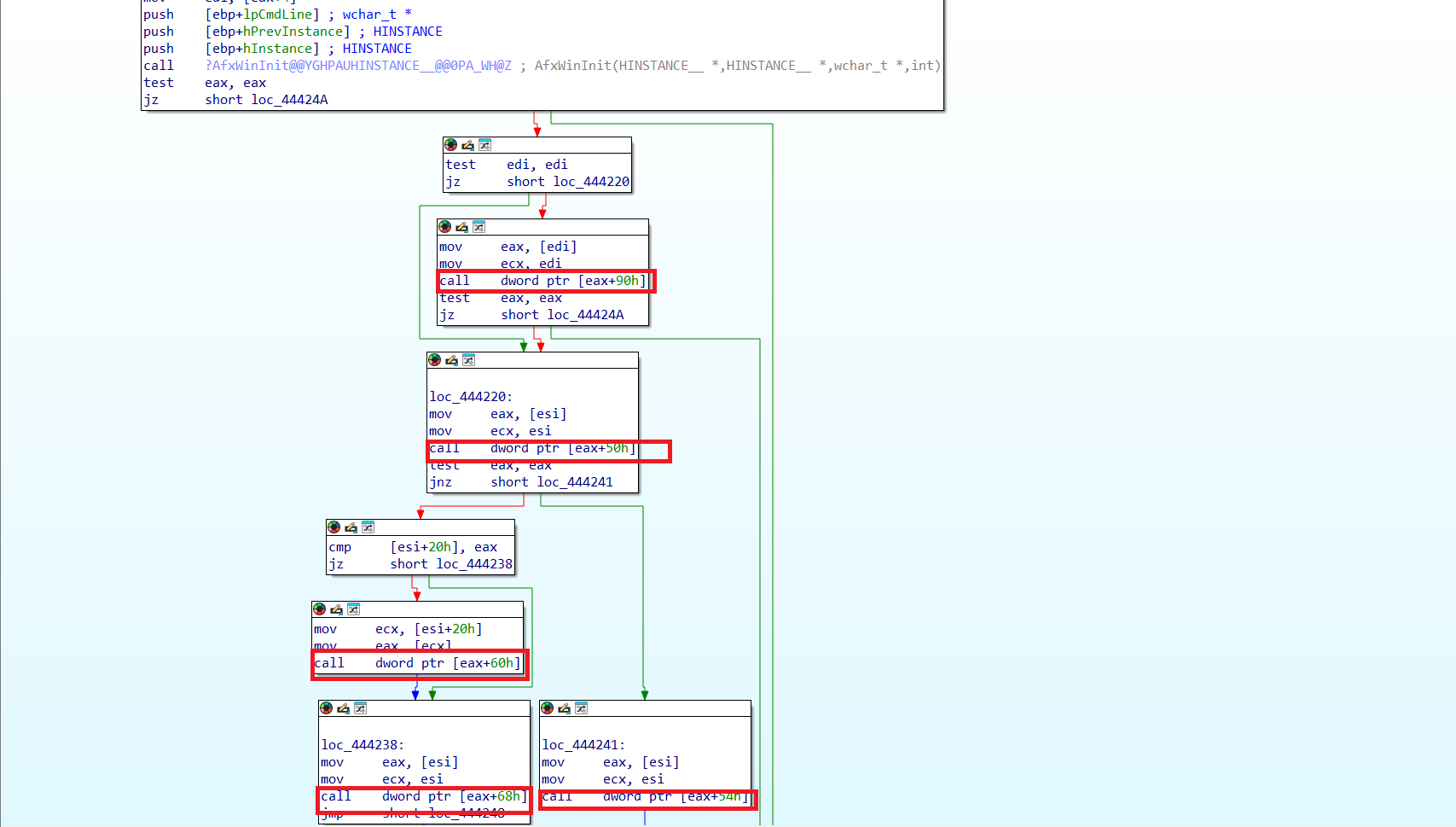
- Using this article I was able to find out that the malware starts at the call dword ptr [eax+50h]
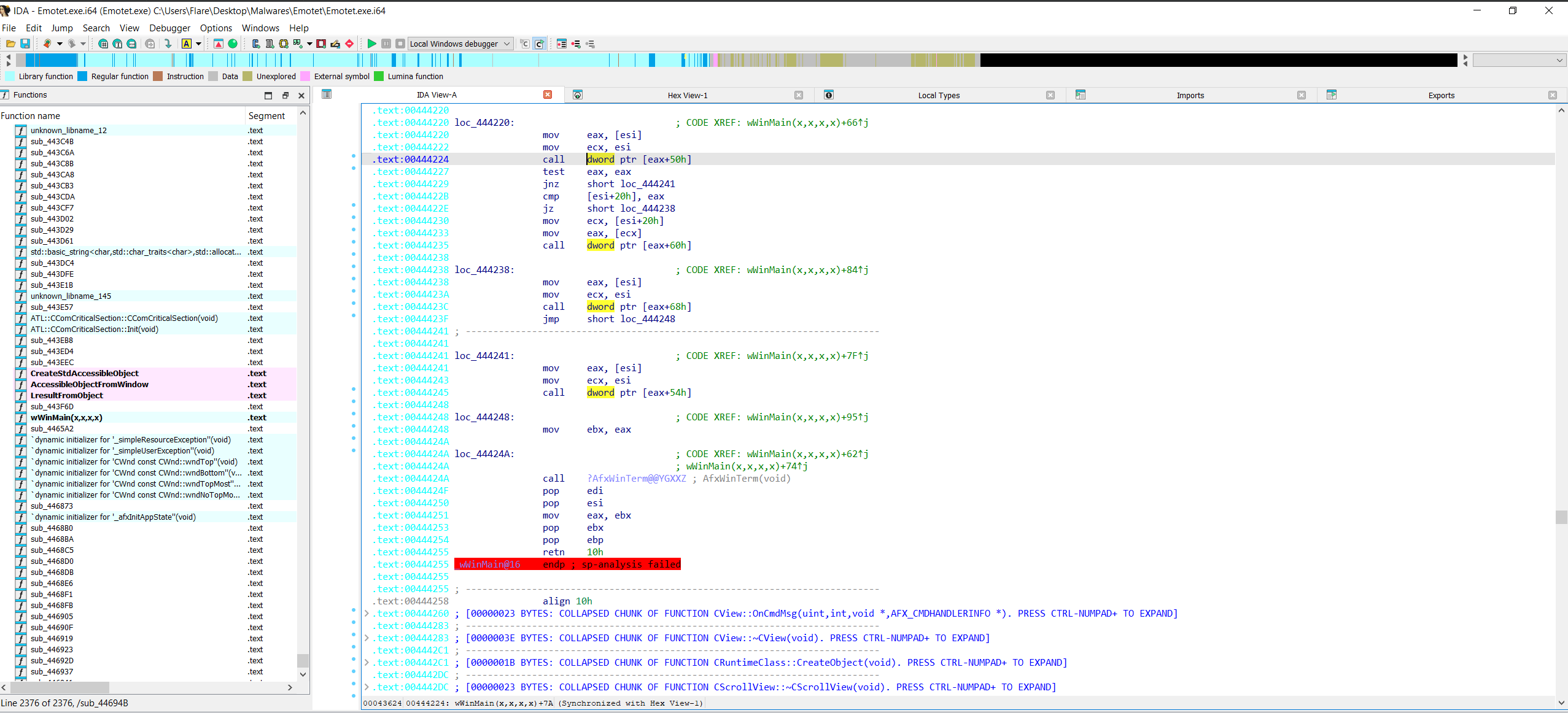
- Opening the exe in x32dbg we can set a breakpoint at 0x00444224, which is the instruction to call dword ptr [eax+50]
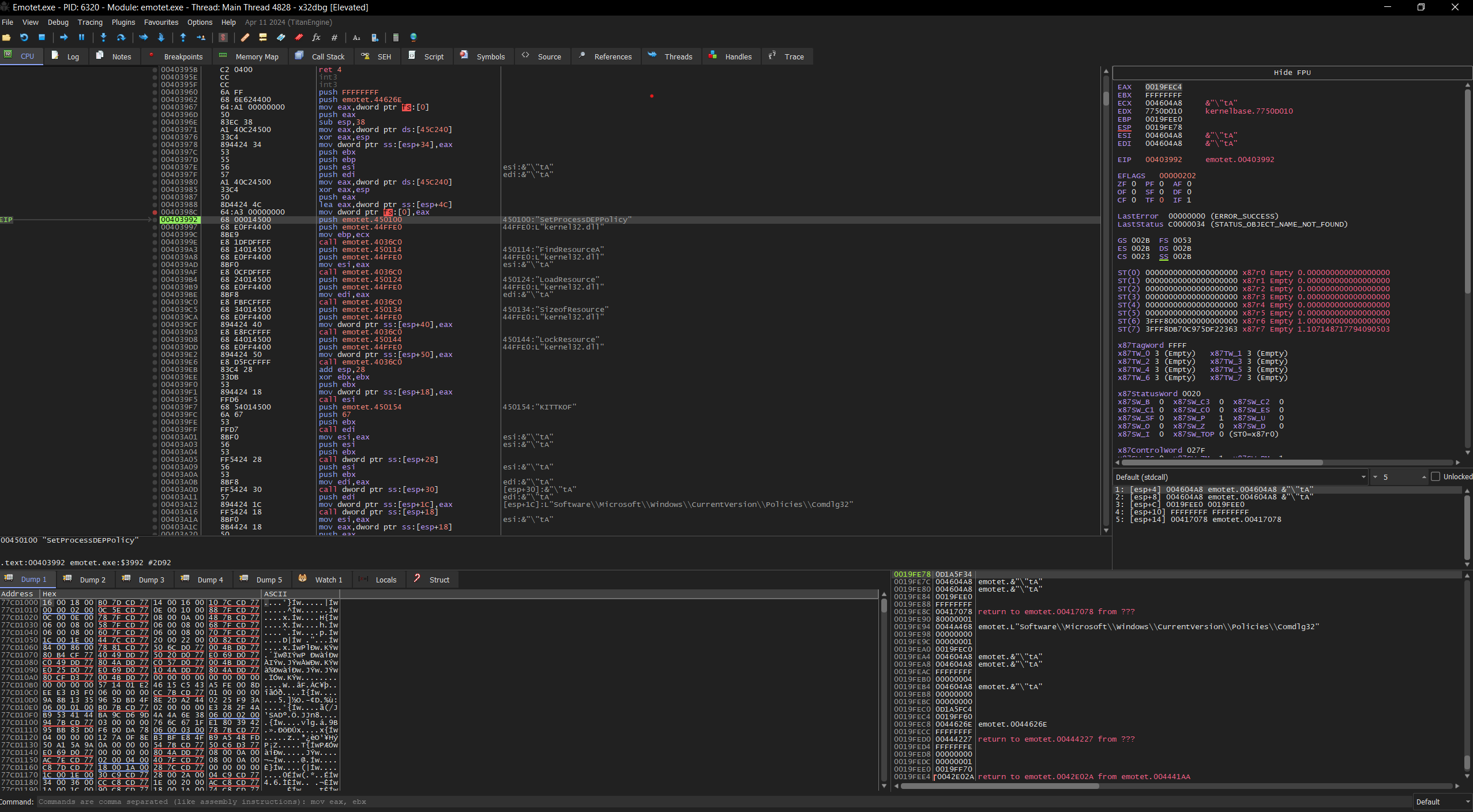
- Going into the function (0x00403960) we can see that there are many interesting things like the function calls to load a resource called “KITKKOF”.
- Another important piece of information was the SetProcessDEPPolicy(), which allows execution in certain memory locations, this comes into play later when we execute code on different locations of the memory.
- Then, another string “H8ZeISNgUIzrpuHdIq3/pV/STSk/sPKbotUXNBC+yqVEE…” is loaded.
- this is then converted from Base64 to Binary data using CryptStringToBinaryA(), this happens in the sub_4026C0 function
- The function first allocates space for the decoded message
- Then the first call to CryptStringToBinaryA() is done to check for over-allocation or to check the proper working of the function(?)
- Then finally the string that was called (H8ZeISNg….) is decoded from base64 to binary data this can be confirmed by the parameters passed to the stack.
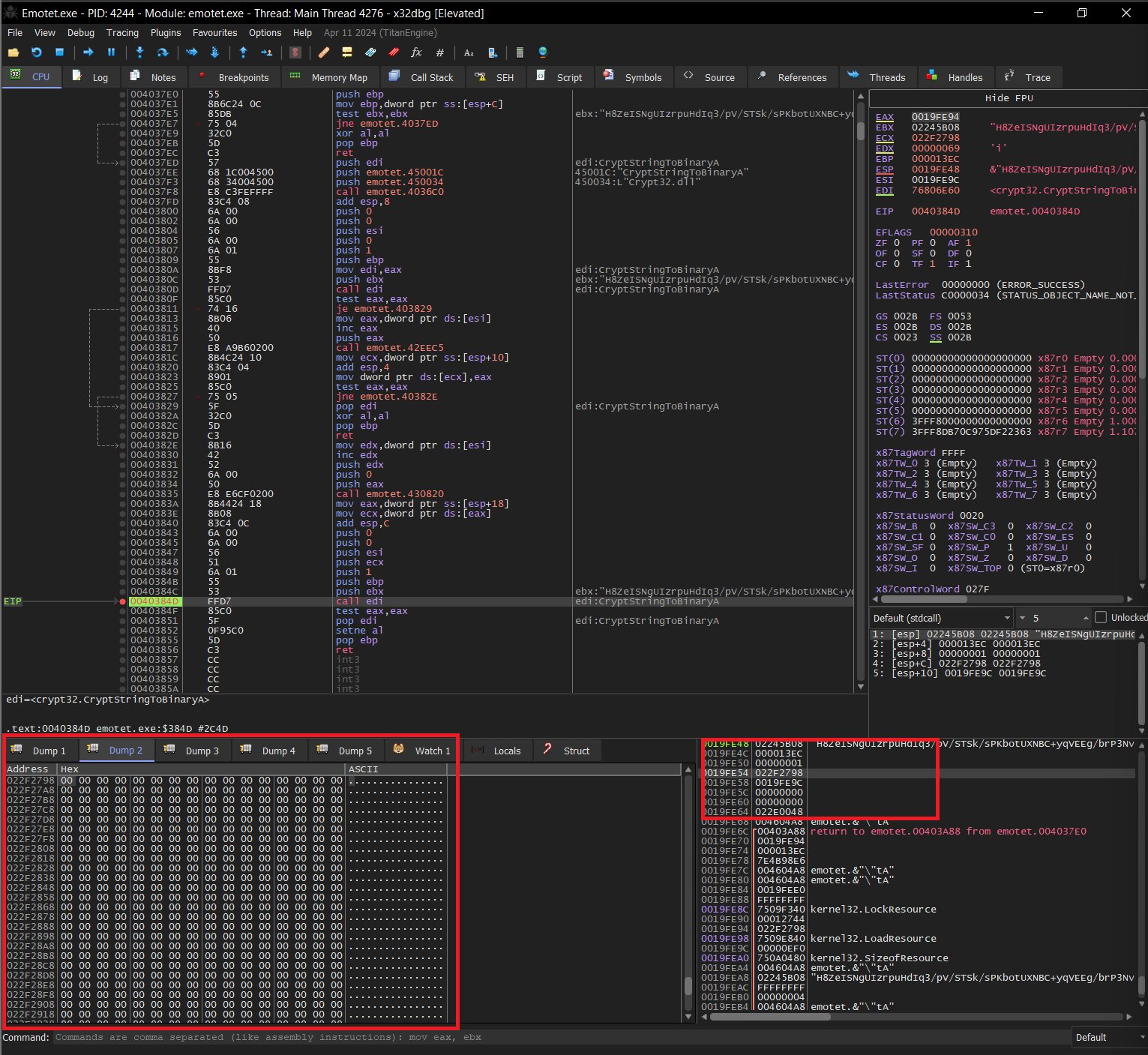
We can observe the function prototype for CryptStringToBinaryA()
BOOL CryptStringToBinaryA(
 [in]      LPCSTR pszString,
 [in]      DWORD  cchString,
 [in]      DWORD  dwFlags,
 [in]      BYTE   *binary,
 [in, out] DWORD  *pcbBinary,
 [out]     DWORD  *pdwSkip,
 [out]     DWORD  *pdwFlags
);
- We can see that the W flag is set to 1 which indicates Base64 without headers, also we can find out the location for where the decoded binary will be stored which is 0x022F2798 (binary).
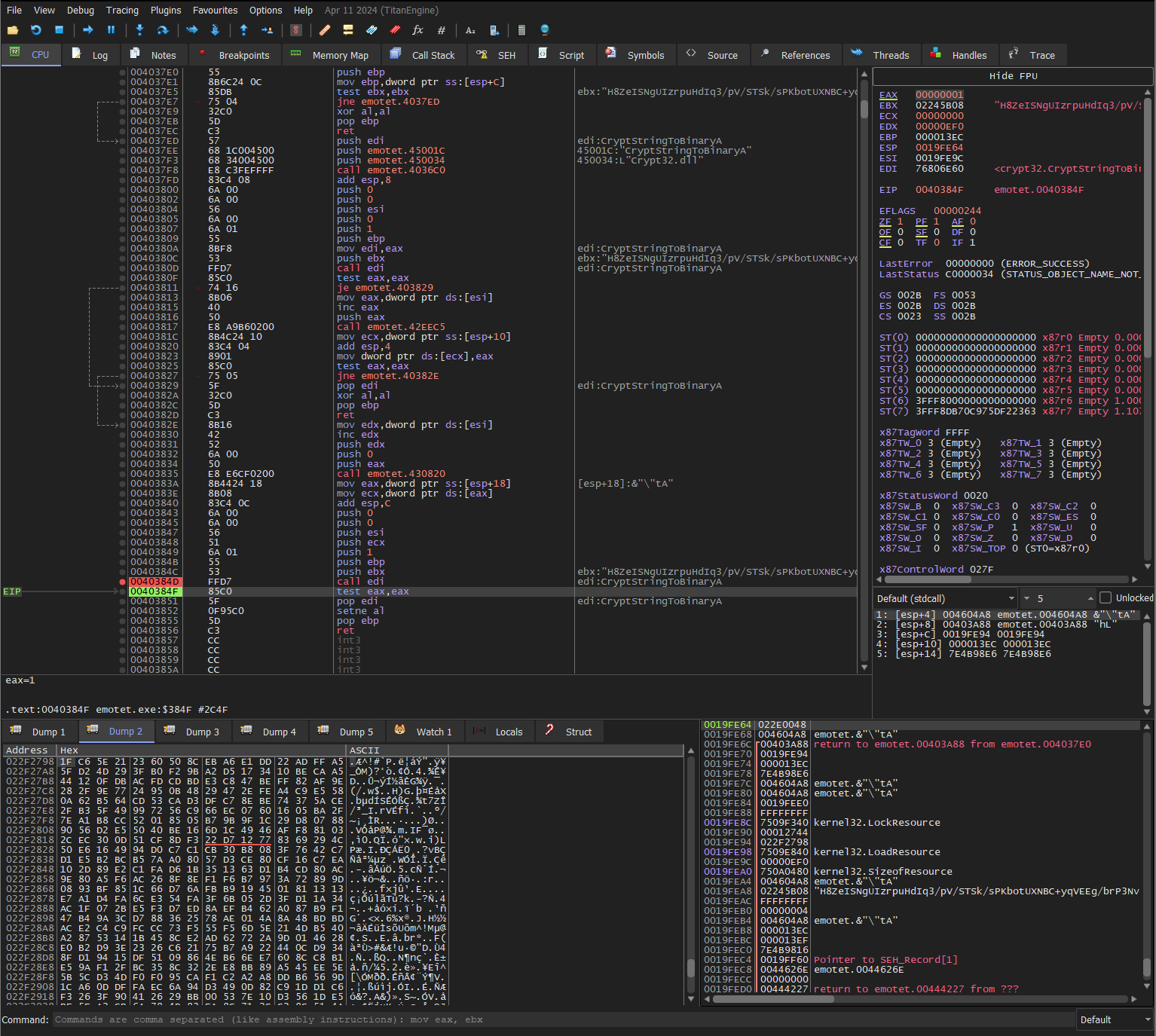
- We can see the specified address being populated by the decoded binary.
- An important thing to note here is, how the functions are loaded and called, the exe uses LoadLibraryA() and GetProcAddress() to obtain a handle for certain functions, the result is then mapped to a register and then it can be called using that register. eg. the CryptStringToBinaryA() is loaded and called using call edi.
- After some calls to CryptAcquireContextA(), the decoded binary is again decrypted using some propritery method, which I have yet to fully understand(pls forgive im not very good with cryptography:/) but the function at 403860 seems to take a key “Bg/*Pc2Bpo#r}}XZ}}6CogzZ3P0vxgGQlswcZ9FQ” and using some mathematical operations it converts the binary data.
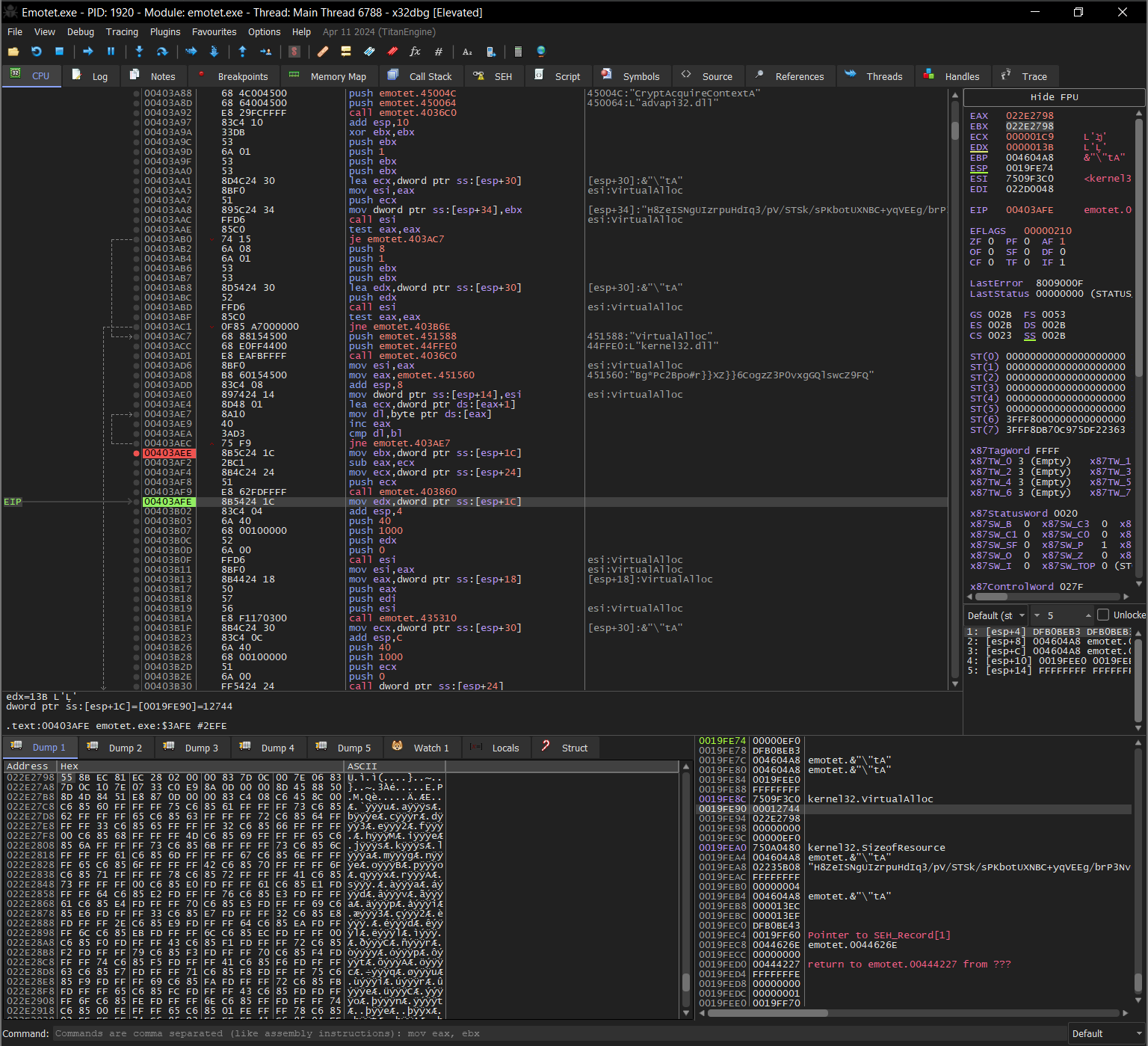
Note: The addresses are not the same as the previous screenshots because I ran the program a couple of times to make sure of my findings but it is the same decoded “H8Z…” string.
- Now the program allocates some space for this and the KITKKOF resource which we loaded earlier in the program.
So now we have two allocated space with two chunks of data,
- One contains the string that was decoded and decrypted.
- And, the second chunk was obtained from the resource.
- Remember how we set the SetProcessDEPPolicy(), this was because from now on we are going to execute code outside the program in random positions of memory.
- Now there is a call to the edi register which points to the decoded and decrypted string, i.e, 1st data chunk 🤯
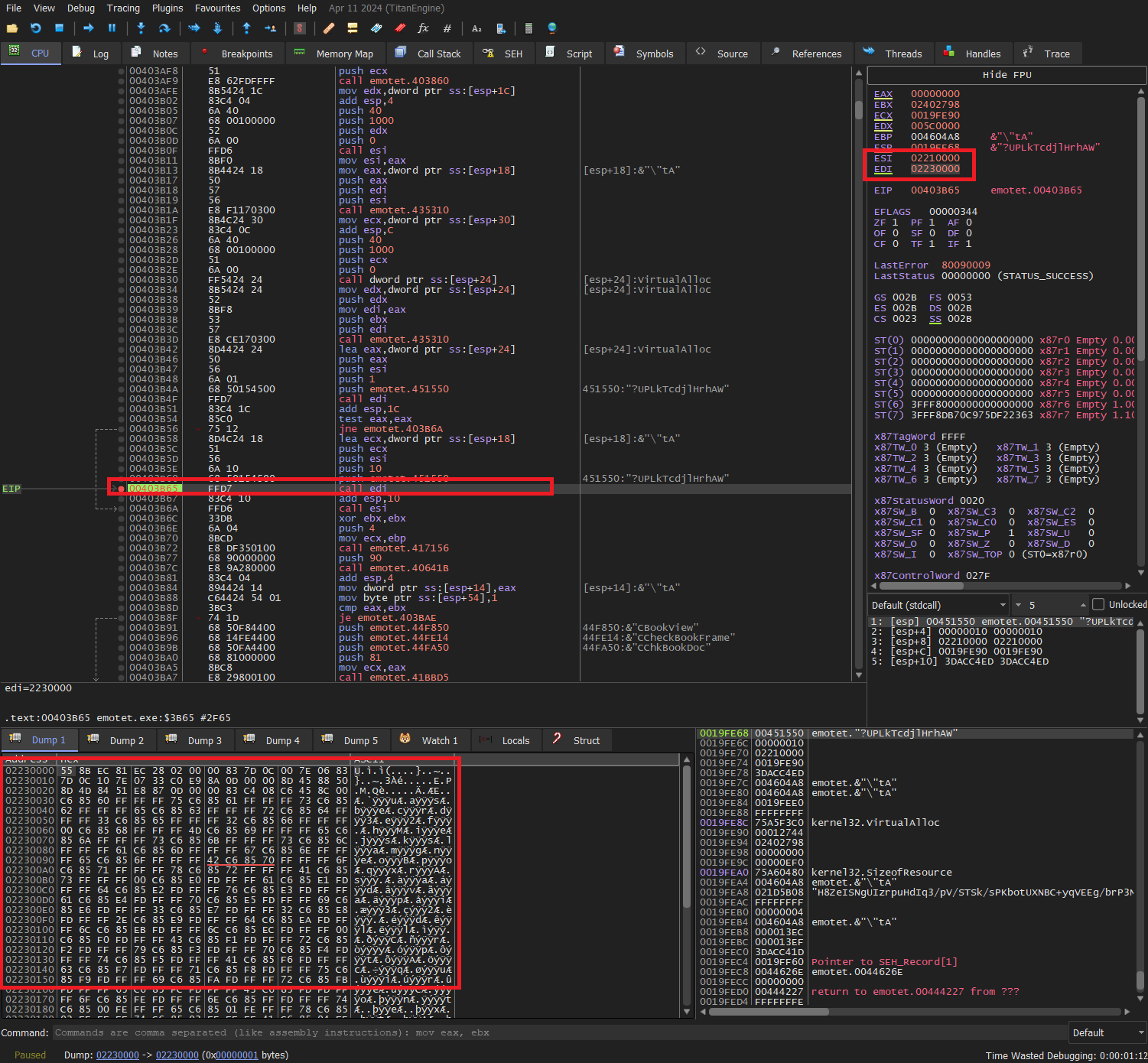
- We can also notice the call to esi below the current highlighted instruction.
- Going into edi, we notice several things, first, it is importing strings into the stack one character at a time, these strings are libraries, functions, etc.
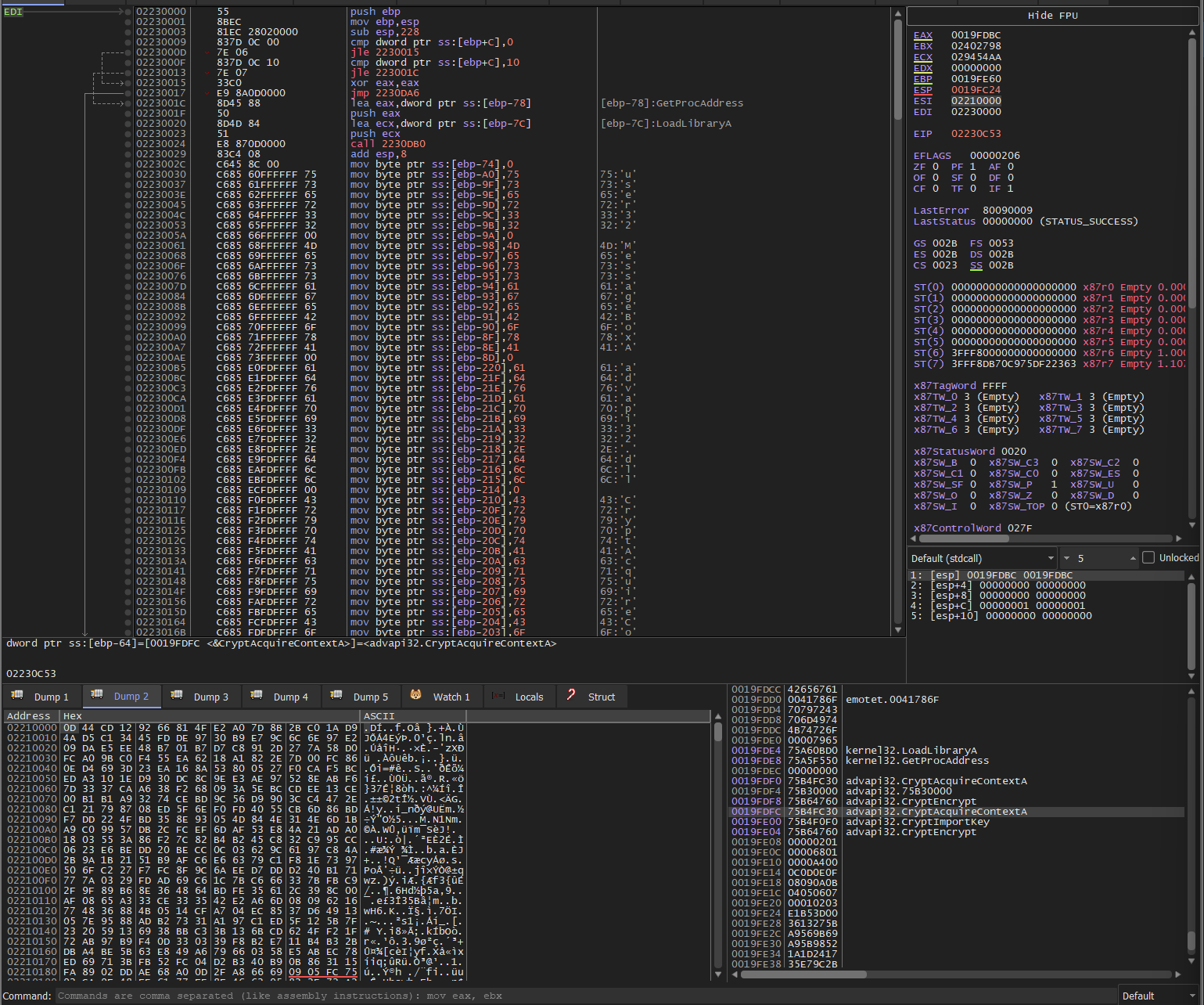
- After this, an RSA key is also imported into the stack. You can read more about this key structure here
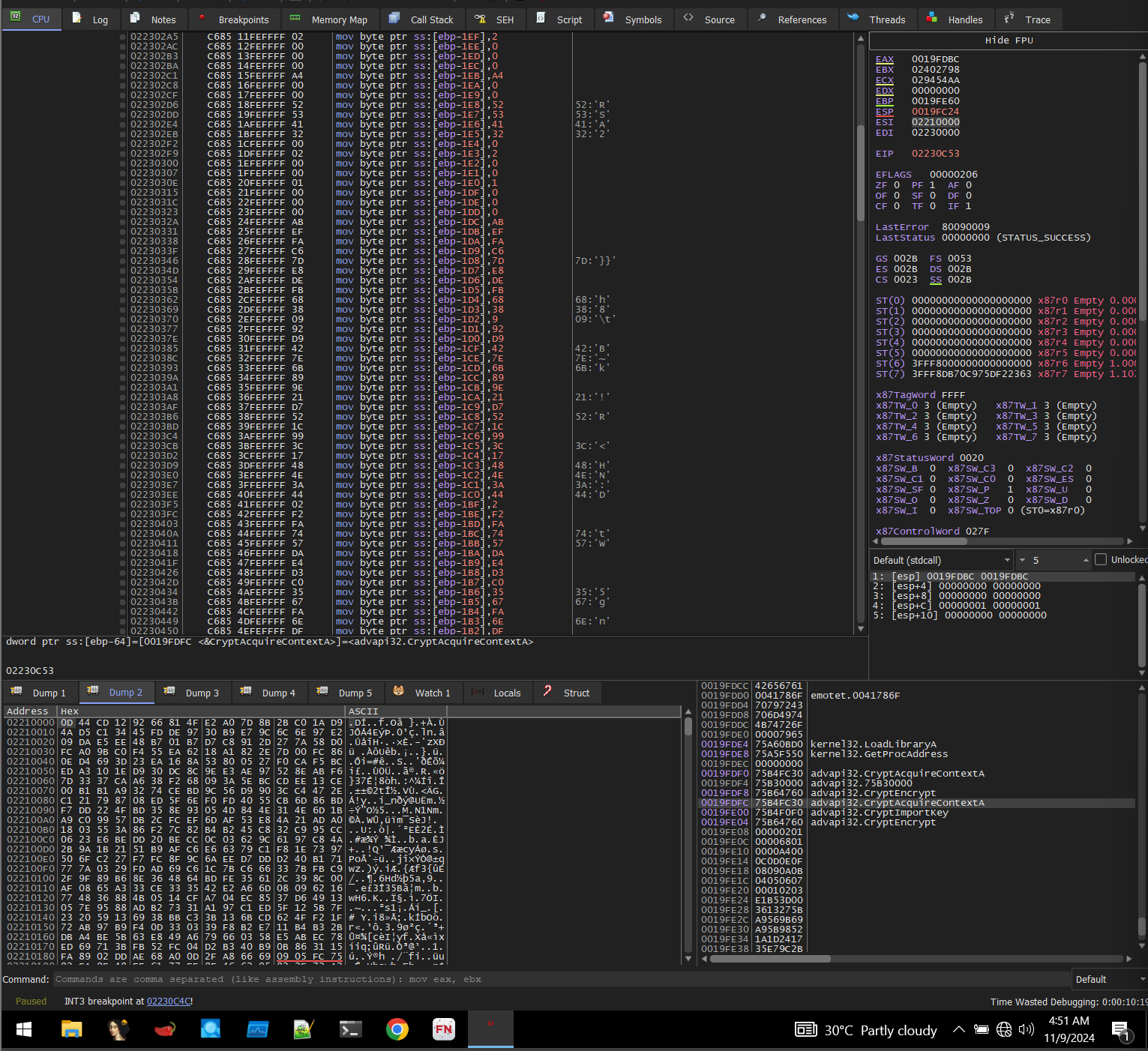
- Then we call CryptAcquireContextA() to obtain the key handle.
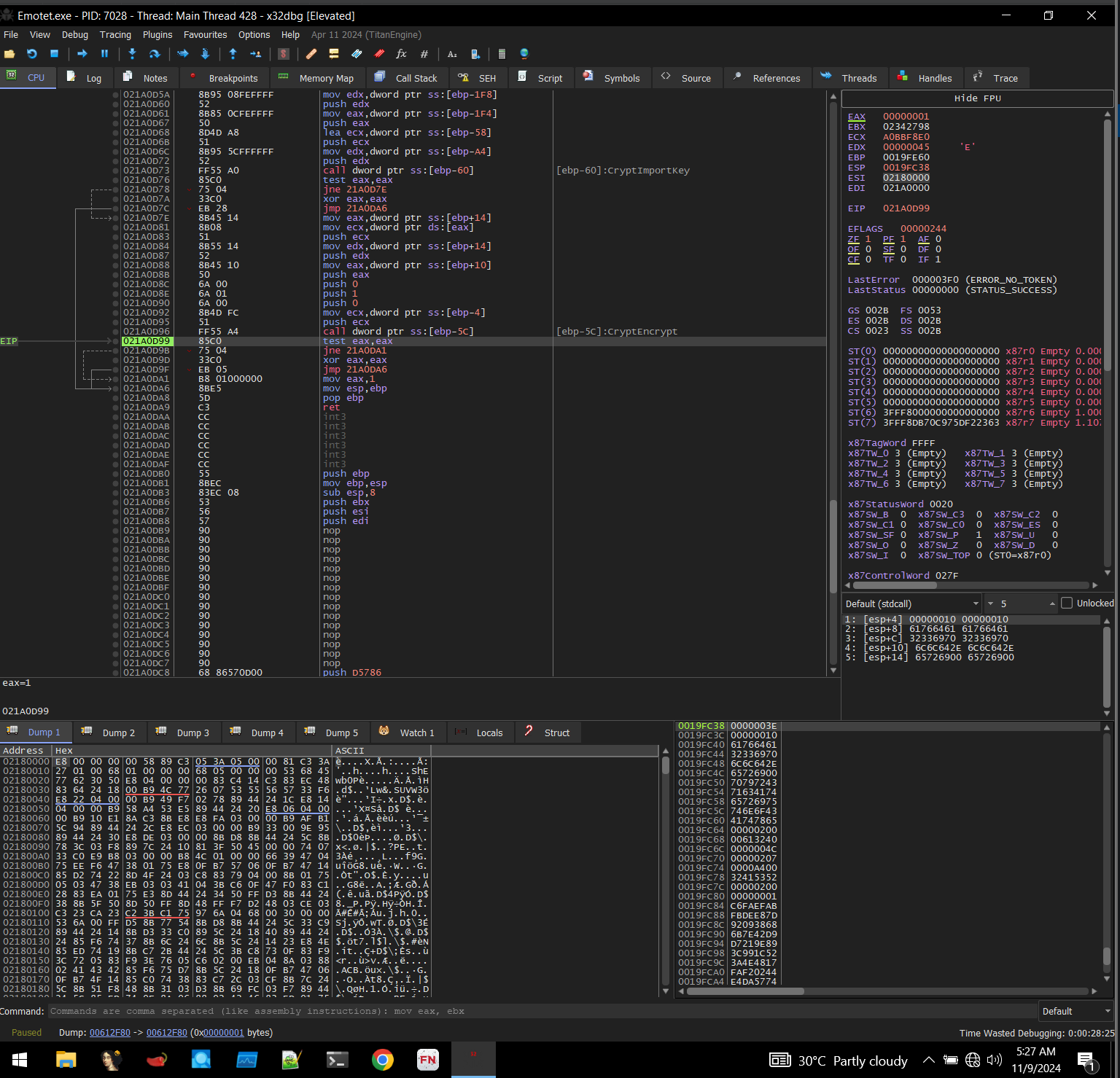
- After this, we can see a call to CryptImportKey(), the blob that we use for this function is the one that was placed in the stack before(the key string that was loaded into memory).
- After this CryptImportKey(), we might guess that it’s going to decrypt something.
- But curiously, all I could see was a call to CryptEncrypt().
- Now this was strange for several reasons,
- First, the part that is to be encrypted is esi, if we can remember, this is going to be called after the current function(edi) gets completed, so we are going to encrypt a section that is going to be called. That seems… odd.
- Second, with some research(chatGPT :P) I was able to find out that due to padding, RSA(The encrypting algorithm used) won’t give the same result even if we supply the same plaintext.
- Third, just why? why would someone do this?
- After countless hours of research, I found out the answer(or at least I think so), when we see the parameters there is one parameter that seems to be the cause for the ciphertext to be the same every time, the dwFlags is set to 0, which means no special flags are to be set, so no OAEP(padding), which means the ciphertext will be the same for the same plaintext every time as RSA is deterministic.
- Basically, the chunk was first decrypted(plaintext) and then now in the edi function it is encrypted, i.e., instead of encrypt -> decrypt, this does, decrypt -> encrypt.
- As for the third question, I think this is done to evade antiviruses and other EDR tools because CryptDecrypt() might be very suspicious also, the malware author does not have to reveal their private key and just use their public key to encrypt, this may be useful for data exfiltration later, as the data which is to be exfiltrated can be encrypted by the malware before being sent out and can be decrypted using their private key.
- I don’t know if this is a common practice for malware, but I found very little information about this technique, so most of these are my own assumptions, SO I AM NOT 100% SURE OF THIS, in the case that I am wrong, please let me know🥹.
Phase-2
- This function is where I found several malicious things such as the process creation, Shared sections, etc.
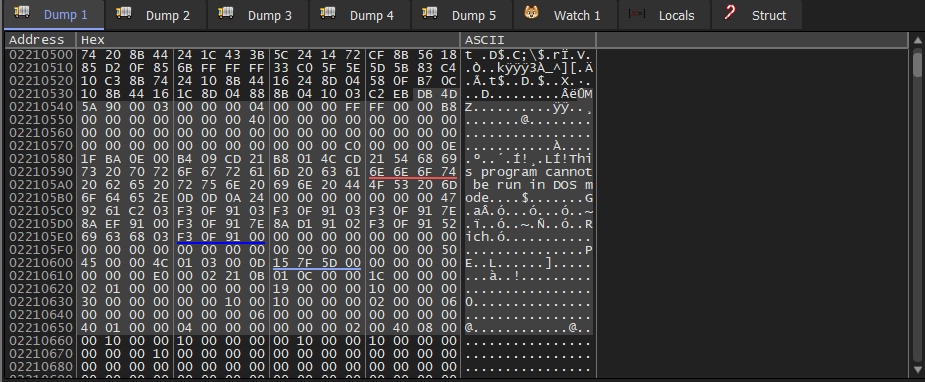
- If we take a closer look at this chunk, we can see an MZ header(this is the header for a PE executable file, basically MZ is the first few bytes of an executable) and what looks to be shellcode with the PE format and no MZ header(well there is a MZ header but its not copied over).
- At this point, I could have just dumped the other PE file and continued my analysis there, but I wanted to know how this new process is created and how this new PE file is loaded and executed.
- The explanation for this function is very … messy to say the least, because, this function gets mapped to different locations each time I run the program(And this happens frequently because, due to some unknown reason my VM keeps shutting down randomly, I think its because of this malware. But anyway I’m too lazy to restore a previous snapshot and install a bunch of things. This is also the reason why the addresses between the screenshots are not consistent, sorry), because of this the breakpoints I have set up do not work and I have to set them up again and again each time I run the program.
- First the function loads some functions from kernel32 and ntdll into the stack manually, by going through the libraries and getting the handles(keep this in mind, this comes back with a vengence later)
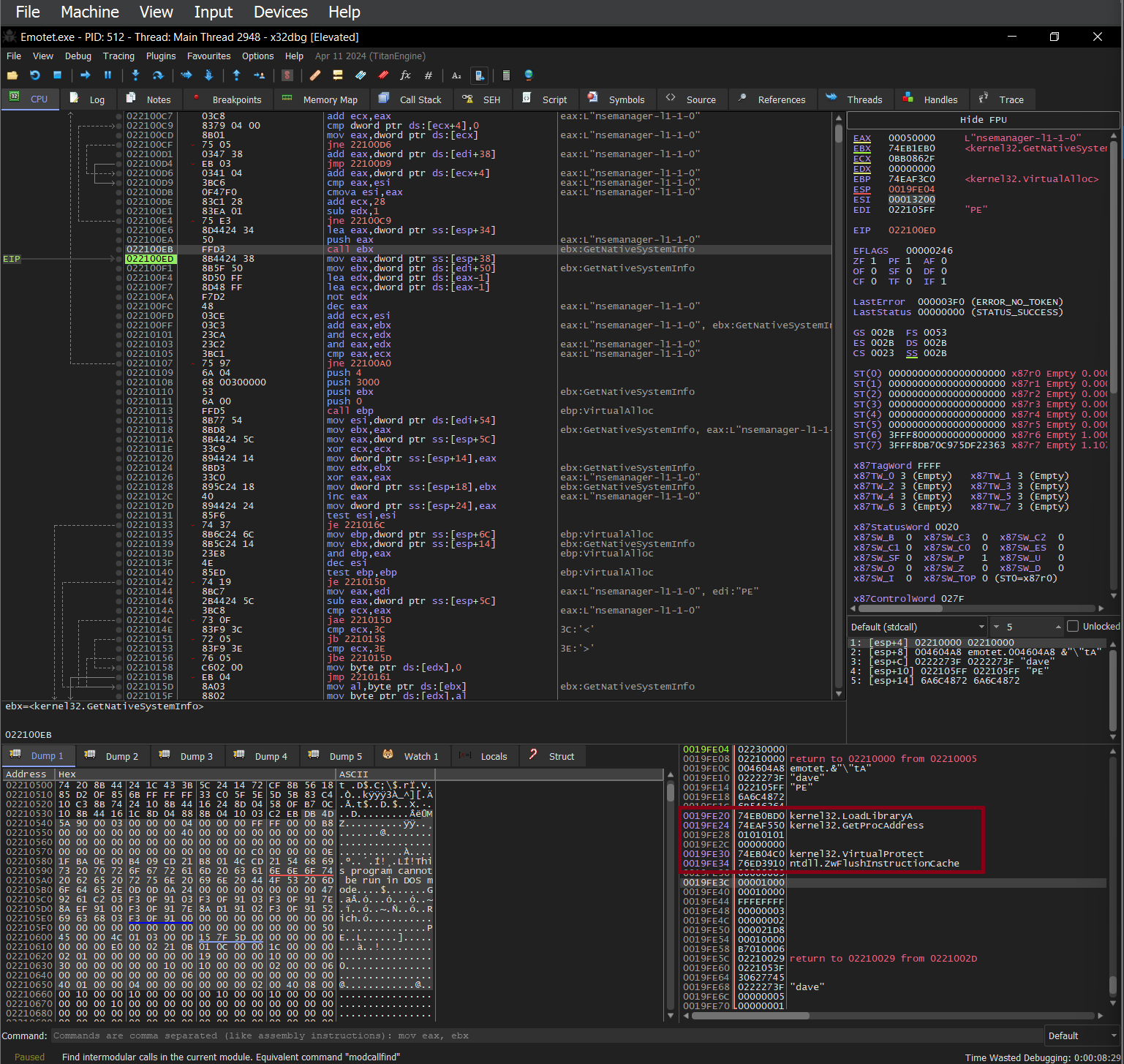
- After obtaining the functions the program then allocates some space using VirtualAlloc().
- This space is then filled with the content of the 2 PE files we found earlier.
- After populating this space we use VirtualProtect to set permissions for each of the sections.
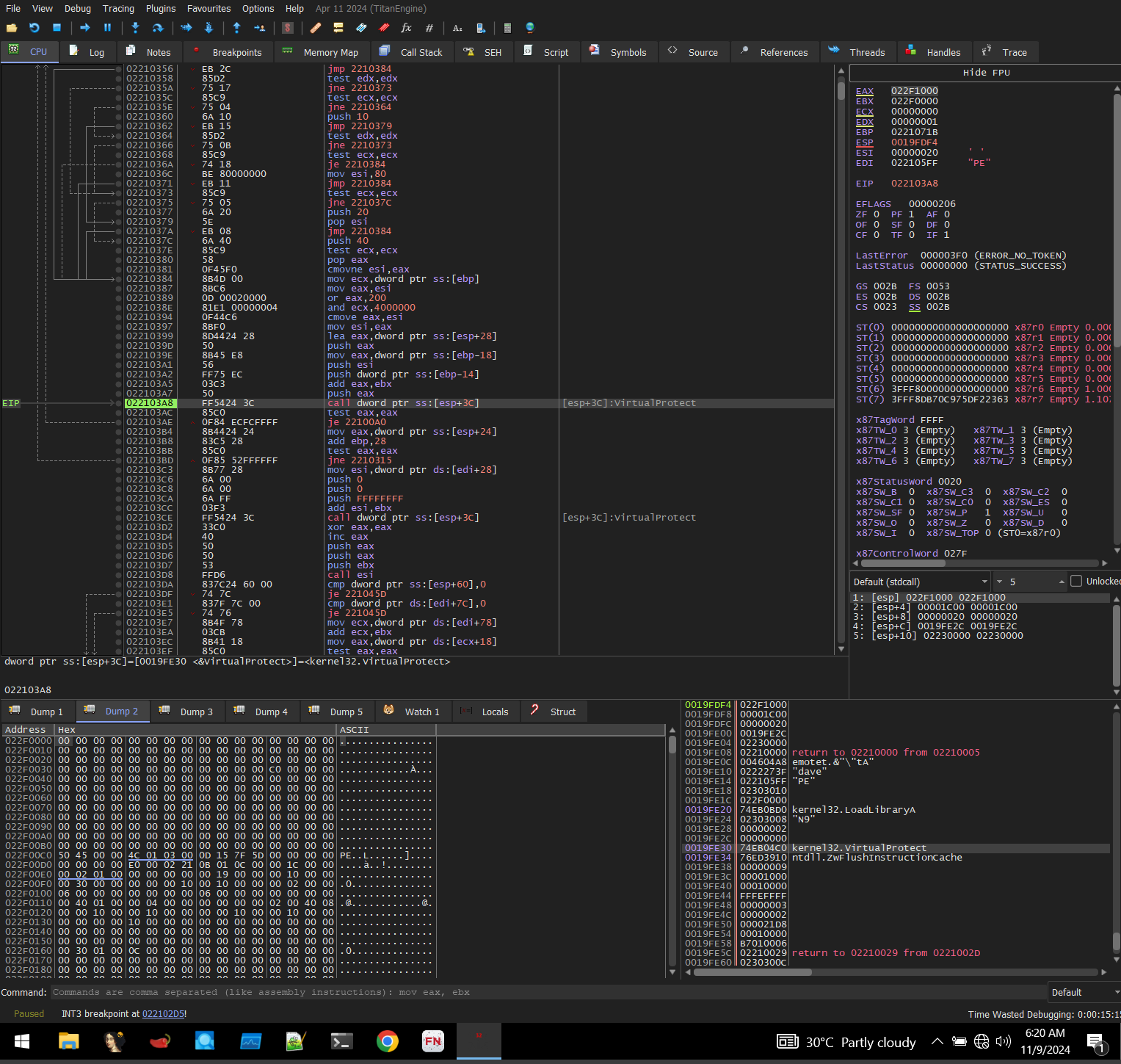 the protections are as follows:
- First section:(The PE file with no MZ header) RX
- Second Section: (This is the 2nd PE file with MZ header) R/W
- Third section : (contains just the string “N9”): R
- This is kind of hard to show in the debugger so the general outline is as follows
OUTLINE OF THE ESI FUNCTION STRUCTURE:
| 1. Instructions in the ESI address |
| 2. 1st shellcode with no MZ header |
| 3. 2nd PE file with MZ header |
| 4. string “N9” |
- the protections are kinda hard to understand/explain without actually debugging them. Keep in mind that the above table describes the whole structure in the address of the esi function and the protections are only for the copied sections which are the 2nd, 3rd, and 4th parts in the above table.
- Again there is a transfer of control to the part where we set the execute permission, i.e, the first section
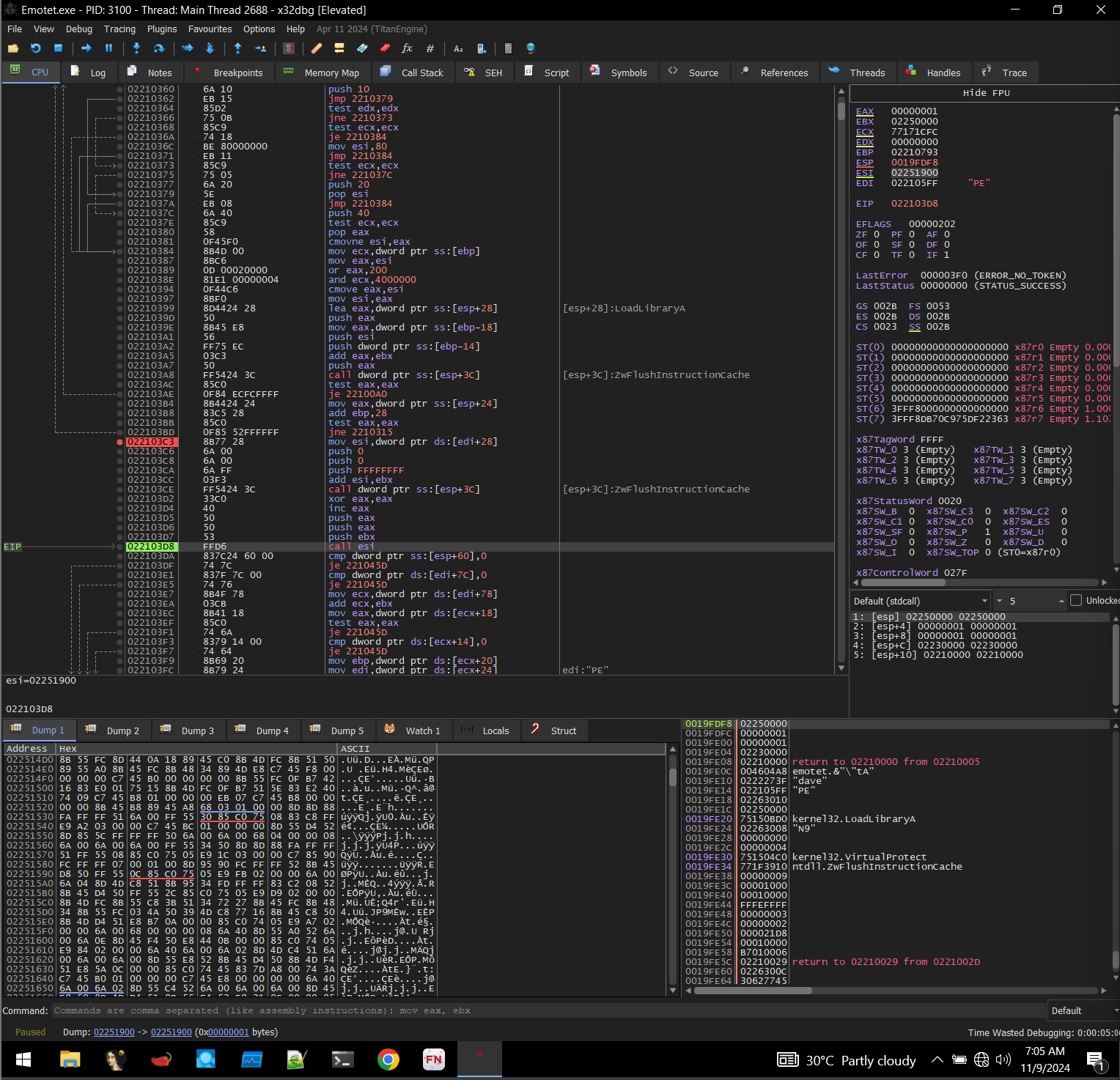
Phase-3
- Moving to the next section we can see some transfer into the stack these values seem to be useless, they are 0xDEADBEEF.
- Next, we move into a function that places some Windows functions into the stack.
- Remember we found out about how some functions were manually found and stored in the stack, we do the same here, except we do it more times and load more functions into the stack.
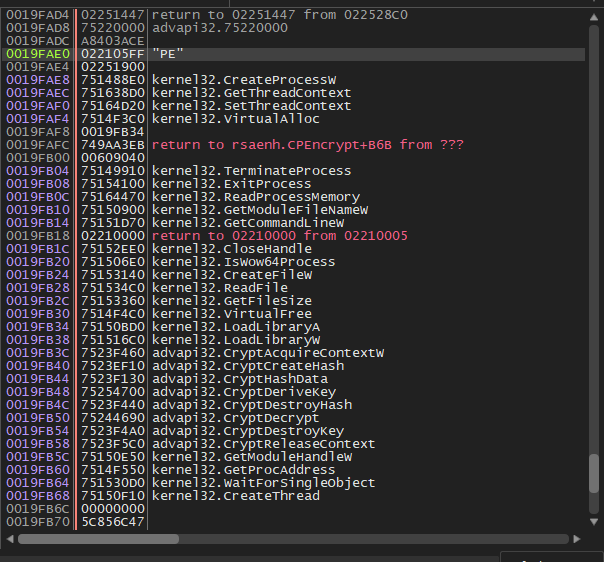
- After this, another process is spawned using CreateProcessW(), this is the first process that was spawned which we observed using procexp, this command creates a suspended process as we can observe by the process.

- This concludes part 1 of my deep dive into the Emotet malware, I know I am leaving this very abruptly but the forthcoming parts are going to take a bit more time for me to fully understand. And my VM issues make it impossible to do this in any capacity. Thank you!